Description
Which printers take this part?
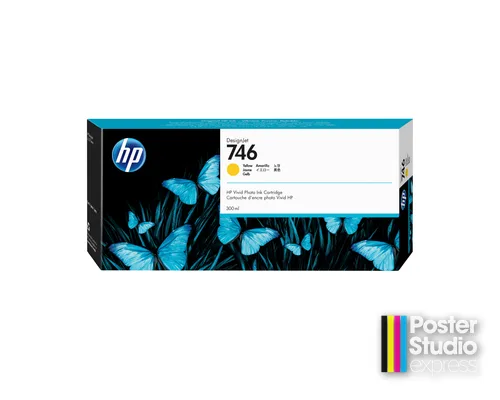
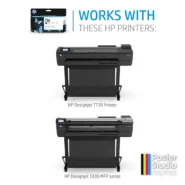
One tank covers both platforms here: the DesignJet Z6 24-in, 44-in, Z6dr and Z6 Pro, and the DesignJet Z9⁺ 24-in, 44-in, Z9⁺dr and Z9⁺ Pro. A district running a Studio 24 Pro in one building and a Z9⁺ in another raises one line for both. That convenience stops at 300 ml — above this size the two platforms part company, and the larger tier Poster Studio Express stocks is the 776 1-liter range, which HP lists for the Z9⁺ side only.
What Yellow does on this platform
Yellow contributes to a wide range of mixed colors, so its level drops on jobs that do not look yellow at all: greens, oranges, browns and warm neutrals are all part yellow. That is what makes it easy to under-order. Staff watch the colors they can see in the artwork, and yellow quietly empties partway through a print run instead. The habit worth building is to read the yellow level before a long job goes on the machine rather than after it has stopped halfway.
Size and cost per milliliter
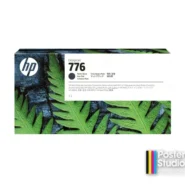
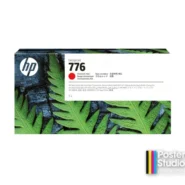
Ink cost per milliliter falls as the tank gets bigger, and yellow has exactly one larger tank in our range: 1XB08A, the 776 1-liter yellow, which costs less per milliliter than this 300-ml cartridge. HP lists the 776 range for the Z9⁺ series only, so that route is open to a Z9⁺ owner and closed to a Z6 owner, who orders this 300-ml tank. Current prices for both parts sit on their own product pages.
Don’t order this by mistake
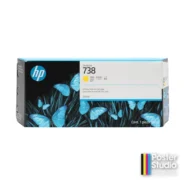
P2V79A is yellow, not magenta. The part one digit below it, P2V78A, is the magenta, and on a printed shelf label or a handwritten reorder note those two are a single character apart. One thing in yellow’s favor: the 747 range that a Z9⁺ also accepts holds no yellow, so yellow never has a second possible part number on the 300-ml tier.
Specifications
| HP part number | P2V79A |
|---|---|
| PSE SKU | P2V79A |
| Type | Ink cartridge |
| Ink color | Yellow |
| Cartridge volume | 300 ml |
| Cartridges per pack | 1 |
| Total ink per pack | 300 ml |
| Fits (HP models) | HP DesignJet Z6 series (24-in / 44-in / Z6dr / Z6 Pro); HP DesignJet Z9+ (Z9⁺) series (24-in / 44-in / Z9⁺dr / Z9⁺ Pro) |
| Fits (PSE lines) | Studio 24 Pro, Studio 44 |
Complete the set for your Z6 or Z9⁺
- HP 746 300-ml Matte Black (P2V83A)
- HP 746 300-ml Photo Black (P2V82A)
- HP 746 300-ml Magenta (P2V78A)
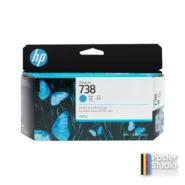
- HP 746 300-ml Cyan (P2V80A)
- HP 746 300-ml Chromatic Red (P2V81A)
- HP 746 DesignJet Printhead (P2V25A)
The full list for each machine sits in its own category: HP DesignJet Z6 ink and HP DesignJet Z9⁺ ink.
Ordering this part
Free shipping and school POs on every ink order. Genuine HP part, supplied under HP’s own part number.
Listed for the HP DesignJet Z6 series (24-in / 44-in / Z6dr / Z6 Pro) and the HP DesignJet Z9⁺ series (24-in / 44-in / Z9⁺dr / Z9⁺ Pro).
Not sure which part fits your machine? Call 866-788-7900 or see all genuine HP parts by number.
Questions schools ask about this part
We never print yellow artwork. Why is this tank empty?
Because most mixed colors contain it. Greens, oranges, browns and warm neutrals are all built partly from yellow, so the tank drains on work that looks nothing like yellow on the page.
Do we have to order all six colors together?
No. This page sells the yellow on its own, and each of the six 746 colors has its own part number. Yellow is the one schools most often reorder out of step with the rest, because mixed colors drain it first.
Which yellow does a Z9-plus take if we want the bigger tank?
1XB08A, the 1-liter 776 yellow. HP lists the 776 range for the Z9⁺ series only, so a Z6 cannot use it and stays on this 300-ml tank.
Additional information
| Compatible printers | HP DesignJet Z6 series (24-in / 44-in / Z6dr / Z6 Pro), HP DesignJet Z9⁺ series (24-in / 44-in / Z9⁺dr / Z9⁺ Pro) |
|---|
You must be logged in to post a review.


Reviews
There are no reviews yet.