Print Stunning Posters From Any Device, Any App, Anywhere on Campus
Drag, drop, scan, design, or send from Canva — our school poster makers print it all.
Stop wrestling with clunky tech. Every Express and Studio Series school poster maker ships with our proprietary StudioCore design and print software included free for life — the K-12 poster operating system used by 4,600+ schools and 1,700+ districts to turn any file, photo, worksheet, or Canva design into a print-ready poster in seconds.
Print from a laptop, Chromebook, iPad, iPhone, or Android phone. Drop in a PDF, JPG, PowerPoint, or Google Slides file. Scan a hand-drawn worksheet and watch StudioCore upscale it to 24″ × 36″. Print straight from a Canva account in two clicks. It’s the most teacher-friendly poster printer machine you can put on a K-12 campus — watch your ideas leap off the screen with zero IT headaches.
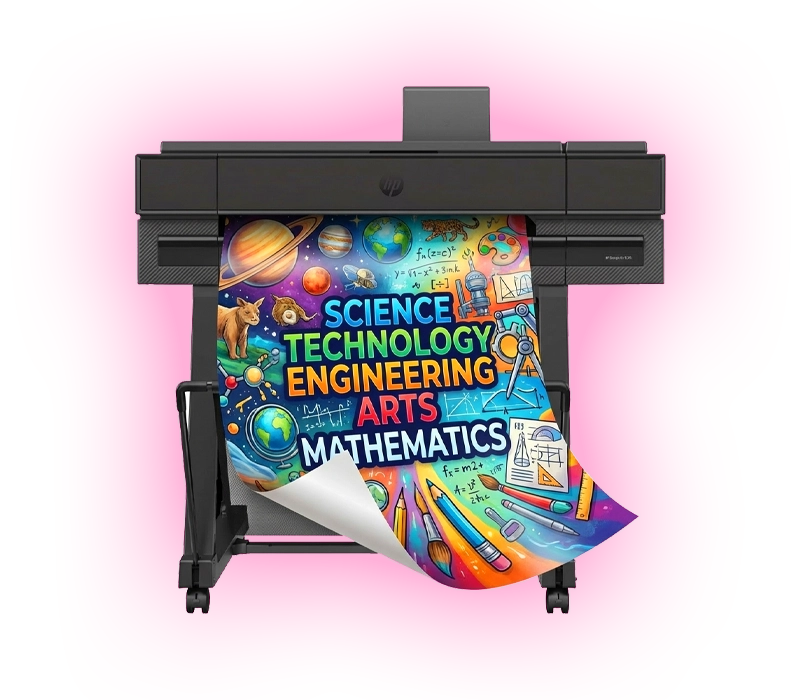
Meet StudioCore — The K-12 Poster Operating System
StudioCore is our proprietary poster software, engineered from the ground up for K-12 teachers — not graphic designers. It’s the secret weapon behind every Poster Studio Express school poster maker, and it’s the reason 4,600+ schools choose us over commodity wide-format printers.
Drag and drop a PDF, snap a photo, scan a worksheet, paste a Canva link, or generate a standards-aligned poster from a topic prompt — StudioCore handles the rest. Included free with every poster maker. No subscriptions. No expiring trials. Unlimited free updates forever.
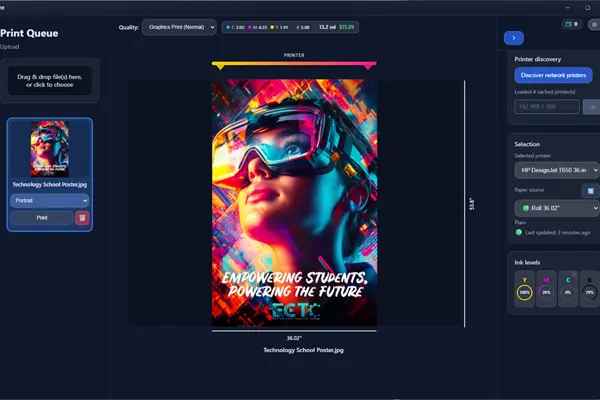
Six Features That Make StudioCore Different
Every feature is engineered for the realities of a K-12 classroom — tight prep periods, mixed device fleets, and zero appetite for IT tickets.
AI Poster Generator
Curriculum-trained AI embedded with every educational standard from all 50 states. Type a topic, get a print-ready, standards-aligned poster in seconds — Common Core, NGSS, TEKS, B.E.S.T., Virginia SOL, and more.
The Only Real Canva Integration
Open a Canva design, click Print, done. Two steps. Compare to competitors’ eight-step download-convert-import dance. Auto-saved Canva library across teams keeps every campaign on hand.
Scan-to-Poster AI Upscaling
Drop any worksheet, photo, or hand-drawn artwork on a connected scanner. StudioCore AI sharpens it, upscales it to 24″ × 36″ or larger, and prints — no redesign needed.
PrintCents Cost Tracking
The only K-12 poster software that shows the exact CMYK ink cost of every print job before you hit print. Budget transparency that keeps your principal — and Title I, ESSER, and Perkins V auditors — happy.
10,000+ Standards-Aligned Templates
Math, ELA, Science, Social Studies, CTE — curriculum-ready printables indexed to 100,000+ sub-standard codes. Grade-level vocabulary tuning built in.
Free Forever, Updated Forever
No subscription. No expiring trial. No paywalled features. Included with every Express and Studio Series printer for the life of the machine — with infinite free updates as new features ship.
Two Killer Features Teachers Actually Use Every Day
Forget the steep learning curve of professional design software. StudioCore turns the two most common classroom workflows — drag-and-drop a file and scan a hard copy — into a one-minute task.
Easy Drag-and-Drop Design Tools
Drop a PDF, JPG, PNG, Word doc, PowerPoint, or Google Slides file directly into StudioCore’s sizer. The software auto-scales it to your chosen poster size, lets you preview every detail before printing, and queues it to your school poster maker over the network.
No design experience required. If a teacher can drag a file onto their desktop, they can make a poster.
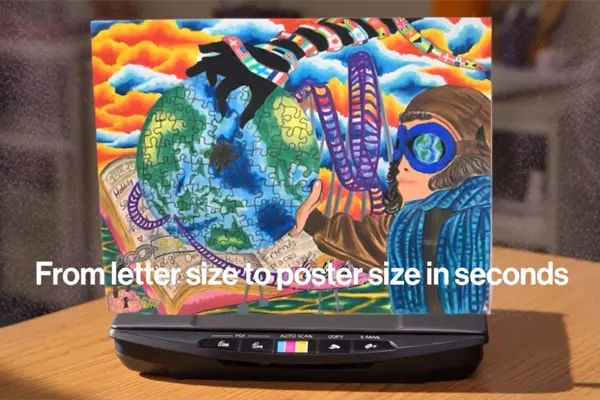
Scan-to-Poster: Make Big Things From Small Ideas
Set a worksheet, photograph, or piece of student artwork on a connected scanner (built right into our 44″ multifunction model, or any networked classroom scanner). StudioCore’s AI upscales the image, sharpens edges, corrects color, and turns an 8.5″ × 11″ original into a crisp 24″ × 36″ poster.
Perfect for celebrating student work, blowing up vocabulary cards, or rescuing an old anchor chart you can’t find a digital file for.
Six Ways to Get a File to Your School Poster Maker
Different teachers, different workflows. StudioCore meets each one where they already work — whether that’s Canva in the browser, the touchscreen on the printer itself, or a quick AirPrint from a phone in the hallway.
Canva → Print
Open any Canva design, click Print, choose your school poster maker. Two steps — no downloads, no PDF conversion. Works with Canva for Education.
Drag & Drop File
Drop a PDF, PowerPoint, JPG, PNG, Word doc, or Google Slides export into the StudioCore sizer. It’s auto-scaled and queued in seconds.
Scan → Poster
Drop a worksheet or photo on a scanner. AI upscales it, sharpens edges, and resizes it for poster output — no redesign needed.
AI Poster Generator
Type a topic, grade level, and state standard. StudioCore generates a print-ready, standards-aligned poster in seconds.
Pick a Template
10,000+ curriculum-aligned templates — Math, ELA, Science, Social Studies, CTE. Customize text, swap photos, hit Print.
USB Walk-Up Print
Plug a USB drive straight into the printer’s front port and print right from the touchscreen — no computer required.
Compatible With Every Tool in Your Classroom Stack
StudioCore runs on Windows, macOS, ChromeOS, iOS, and Android — and prints natively through Apple AirPrint, Mopria, and standard IPP/CUPS. It works with the design tools your teachers already use, not the ones they’d have to learn.
From Idea to Printed Poster in Four Steps
The entire process is designed for educators — not IT specialists. From the moment a teacher opens StudioCore to the moment a finished poster lands in their hand, every step is wireless, intuitive, and fast.
Open StudioCore
Launch StudioCore on any networked Windows PC, Mac, Chromebook, iPad, or phone. No new tab. No login juggling.
Pick Your Path
Drop a file, paste a Canva link, scan a worksheet, pick a template, or prompt the AI. Six paths, your choice.
Preview & PrintCents Check
See the exact poster preview and CMYK ink cost before you commit. Tweak the size, crop, or layout if needed.
Hit Print — Pick Up
Your job rolls off the school poster maker in roughly two minutes. Full color, edge-to-edge, classroom-ready.
Make an Impact With Every Print
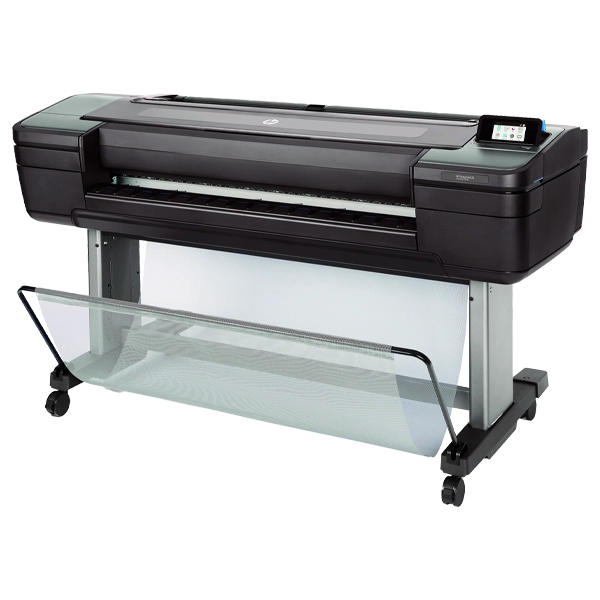
School Poster Makers Built for Real Classrooms
Our 24″, 36″, and 44″ poster size printers are engineered to be the simplest, most-trusted school poster maker lineup in K-12 — built to print classroom signage, anchor charts, bulletin boards, parent night materials, hallway displays, science fair posters, and game-day banners. No professional design background required.
StudioCore handles file scaling, color matching, and queue management automatically. Teachers point, click, and walk away with a poster — while administrators get auditable cost reports for every print.
- Built-In Templates & Stock Library — safe, royalty-free images and ready-to-customize layouts curated for K-12.
- Auto-Sizer for Any File — drop in PDF, PowerPoint, Slides, JPG, or PNG and StudioCore handles the math.
- Live Preview Before You Print — see the exact poster on screen, with PrintCents ink cost shown in real time.
- USB Drive Walk-Up Printing — plug in, pick a file on the touchscreen, hit Print. Zero login required.
- Mobile-Native Printing — AirPrint, Mopria, and the HP Smart app for iPhone, iPad, and Android.
Unlimited Live Training — Free for the Life of Your Printer
Every Express and Studio Series poster maker comes with unlimited live screen-share training, delivered by U.S.-based specialists. Onboard a new teacher? Schedule a session. Switch a media specialist? Schedule another. There is no cap.
Our team will walk your staff through StudioCore, Canva integration, scan-to-poster, the AI generator, PrintCents, and every workflow on this page until they’re confident — whether that’s one session or ten. Combined with our lifetime U.S.-based technical support, it’s the most accessible school poster program on the market.
The Smart Choice for K-12 Schools
Plenty of companies sell wide-format printers. Almost none of them make true poster maker machines for schools. Here’s how Poster Studio Express — powered by StudioCore — compares to commodity wide-format vendors. Still shopping around? See our full buyer’s guide to the best poster makers for schools for a side-by-side breakdown.
What You Usually Get
- ×A bare printer with no education software
- ×Subscription design tools you have to pay for separately
- ×Eight-step Canva-to-print workflows
- ×No scan-to-poster AI upscaling
- ×No curriculum-aligned templates
- ×Limited or no live training included
- ×No PrintCents-style ink cost transparency
- ×Generic support team unfamiliar with schools
What You Actually Get
- ✓Free StudioCore software for the life of the machine
- ✓Zero subscriptions — infinite free updates forever
- ✓True two-click Canva-to-print integration
- ✓AI scan-to-poster upscaling included
- ✓10,000+ standards-aligned K-12 templates
- ✓Unlimited live screen-share training, all 50 states
- ✓PrintCents shows ink cost before you print
- ✓U.S.-based K-12 specialists, lifetime tech support
Common Questions, Answered Plainly
Real answers to the questions teachers, IT directors, and curriculum coordinators ask before bringing a Poster Studio Express school poster maker into their building.
What devices can teachers use to send a print job to the school poster maker?
How does StudioCore differ from Canva or other design tools we already use?
Can students print from their Chromebooks?
Do I need to install StudioCore on every teacher’s computer?
What file formats can I drag into StudioCore?
Does the Canva integration actually work, or is it just a marketing claim?
How does scan-to-poster work? Do I need a scanner?
Can the AI poster generator handle our state’s standards?
What is PrintCents and why does it matter to administrators?
Is training really unlimited and really free?
What if our IT department needs a deeper integration review?
Want to See StudioCore in Action?
Call us for a free 15-minute screen-share demo of StudioCore on a live school poster maker — drag-and-drop, scan-to-poster, Canva print, AI generator, the whole tour. Real K-12 specialists, no scripted pitch.
Bring StudioCore & a School Poster Maker to Your Campus
Every Express and Studio Series printer ships with StudioCore included free for life — plus unlimited live training, lifetime U.S.-based tech support, and a minimum 1-year on-site warranty. Print from any device, from anywhere, the way teachers actually work.