What’s the Best Poster Maker Software for Schools in 2026?

A head-to-head look at every kind of poster-making software a school actually runs into — general design apps like Canva, free web tools, the generic driver that ships in the box with a bare printer, and StudioCore, the K-12 poster studio built specifically for classroom walls.
Quick Answer
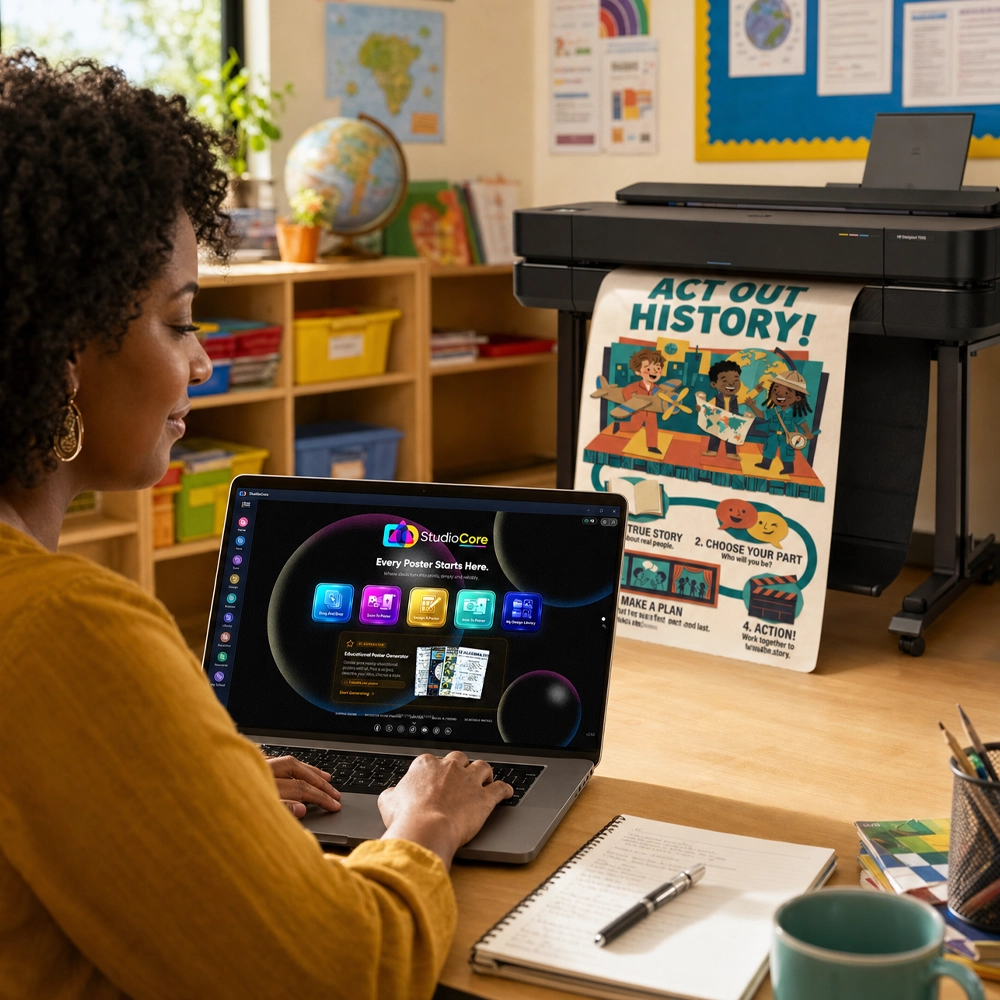
For most K-12 schools, the best poster maker software in 2026 is StudioCore — the design app bundled free with every Poster Studio Express poster maker. It combines a curriculum-trained AI poster generator (100,000+ standards indexed), 140+ Smart Tools that build anchor charts and word walls automatically, a 10,000+ template Design Library, and the only true two-click Canva integration on the K-12 wide-format market — all with no subscription, ever. Canva alone is a strong general design tool, but it isn’t built to drive a wide-format printer at true poster size or track ink and paper cost; StudioCore does both natively. See the full breakdown on the StudioCore feature page.
Buyer Reality
Why "Poster Maker Software" Means Different Things
Search for the top rated poster maker software for schools and you’ll get three very different kinds of results: general graphic-design apps (built for social media and flyers, not floor-to-ceiling wall output), the bare driver software that ships in the box with a wide-format printer (built to scale a finished file, not to design one), and a small handful of platforms built specifically to do both for a classroom. Which one a school needs depends entirely on what they’re trying to skip: design work, print-sizing work, or both.
This guide compares them honestly — including Canva, which we integrate with directly and recommend for general design work — then shows where a purpose-built classroom platform earns its keep.
Before You Compare
5 Things to Check Before Choosing
Does it actually drive the printer?
Design-only tools stop at a downloadable file. Look for software that auto-scales to true poster size and tracks ink/paper cost, not just canvas dimensions.
Subscription, or bundled?
Some design platforms are free to start and then meter templates, exports or storage behind a paid tier. Ask what’s actually included forever, not just at signup.
Real Canva import, or export-then-reupload?
"Canva compatible" usually means: export a PDF, resize it, upload it somewhere else, hope the colors survived. A real integration skips all of that.
Curriculum tools, or a blank canvas?
Anchor charts, word walls and standards-aligned posters take real prep time to build from scratch. Purpose-built Smart Tools assemble them for you.
Training and support included?
Software a busy teacher never learns to use doesn’t save any time. Check whether live training and support come with the platform or cost extra.
The Landscape
Where Each Option Actually Fits
Canva
General design toolIntegration partnerCanva is a genuinely good general-purpose design tool, and a huge share of teachers already know it from slides, flyers and social graphics. It’s not built for wide-format poster printing specifically — it doesn’t natively drive a printer, size to true poster dimensions, or track ink and paper cost — so most schools that use Canva for design still need a way to get that file onto a wall at true size without a resizing fight. StudioCore’s Canva integration exists for exactly that reason (more below).
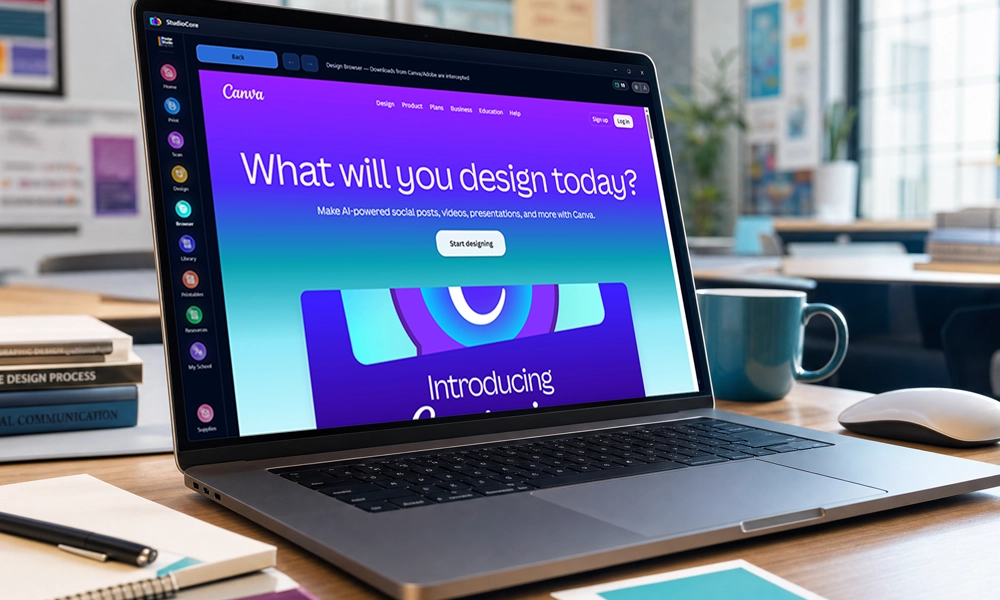
The Canva integration inside StudioCore — open the design, click Print.
Strong for
- Familiar drag-and-drop design
- Huge stock template/photo library
- Team collaboration on drafts
Watch for
- Not built for wide-format print sizing
- No built-in ink/paper cost tracking
- Some templates/features sit behind a paid tier
Free Web Poster Tools
Generic / browser-basedA wide range of free poster making apps and browser tools will let a teacher throw together a one-off classroom poster in a few minutes. They’re fine for a quick single project, but most weren’t built for a school’s repeat use: template selection is usually thin, exports are often watermarked or capped without a paid upgrade, there’s no classroom-specific content tooling (anchor charts, standards alignment), and none of them know anything about the printer the file eventually has to reach.
Strong for
- A single quick, low-stakes poster
- No account or install needed
Watch for
- Watermarks or paywalls on export
- No curriculum/classroom-specific tools
- No connection to your actual printer
Generic OEM Print Drivers
Ships with a bare printerBuy a wide-format printer without a school-specific package and it typically comes with a generic print driver — software whose whole job is scaling and sending an already-finished file to the print engine. That’s a real, necessary function, but it’s usually the only function: no design tools, no templates, no AI, no Canva link. The file has to be completely built and correctly sized somewhere else before the driver ever sees it.
Strong for
- Sending an already-finished, correctly-sized file to print
Watch for
- No design or content tools at all
- No Canva/Slides/PDF handling beyond raw printing
- No ink/paper cost visibility
The Complete Option
StudioCore: The K-12 Poster Studio
StudioCore is the design software bundled free with every Poster Studio Express poster maker — Express, Studio, Print Center and Poster Magic. It’s never sold separately and never on a subscription: lifetime updates, and unlimited live training for the life of the machine, are included with every package. Full detail lives on the StudioCore feature page; here’s the short version of what closes the gap that Canva, free web tools, and a bare print driver all leave open.
Curriculum-Trained AI
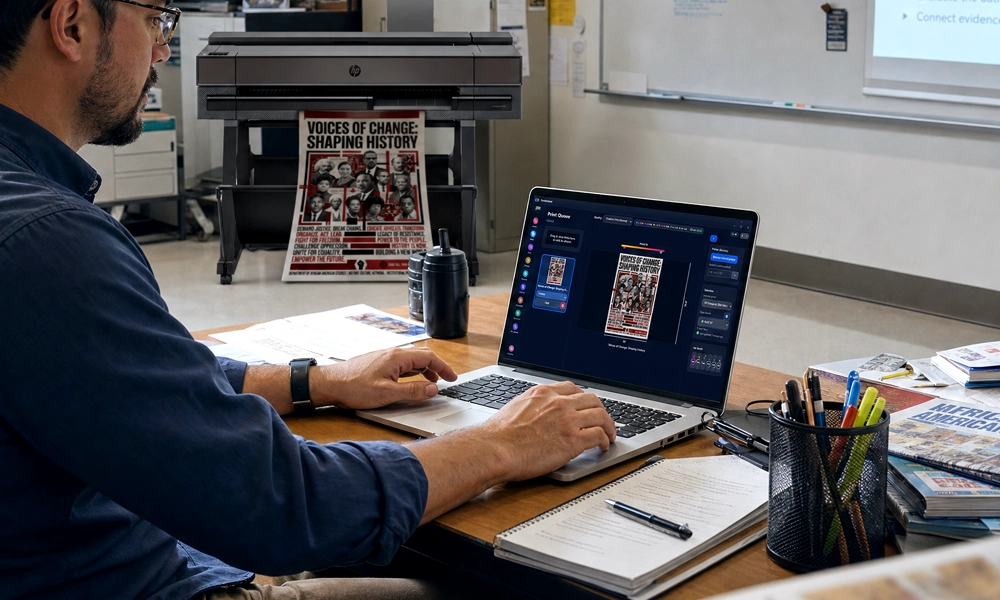
100,000+ standards indexed — Common Core, NGSS, TEKS, B.E.S.T., Virginia SOL and more. Type a prompt, get an editable, print-ready draft. Nothing prints without teacher approval.
140+ Smart Tools
Anchor charts, word walls, science-of-reading sound walls, story maps, equation solvers, graphing calculators and more — type your content and the poster assembles itself.
Design Library
10,000+ standards-aligned templates, 20+ complete style worlds, full drag-and-drop editor with layers, dimensional 3D titles and live effects that stay editable.
Every Way In
Drag-and-drop from PDFs, JPGs, Word docs or Google Slides; Scan-to-Poster AI upscaling from a worksheet on the scanner; Web-to-Poster from any URL.
PrintCents
See the cost before you print, and track ink/paper spend over time — something no design app and no generic driver offers.
Wireless Print Routing
Print from any device on the school network — Chromebooks, iPads, phones, Windows or macOS — with a true-size, true-color Poster Preview before anything hits paper.
The Canva Story: 2 Steps, Not 8
Most "Canva compatible" poster tools mean: export a PDF, check the size, convert it, upload it somewhere else, hope nothing shifted, then finally print. StudioCore links directly to a teacher’s Canva account instead — open the design inside StudioCore, click Print. No PDF export, no file upload, no sizing fights. It’s the only true Canva integration on the K-12 wide-format market, and every Canva file printed is auto-saved for one-click reprint.
Open the Canva design inside StudioCore
Click Print — true size, true color, done
Already Own a Bare Wide-Format Printer?
The full StudioCore platform is only available with a Poster Studio Express machine — it isn’t sold or licensed on its own. If a school already has a wide-format printer with nothing but a generic driver, StudioCore Connect is the free public download at studiocore.app (a quick email signup gets you the installer): the same drag-and-drop printing and a basic design tool, with a sample template library and AI Poster Generator previews, at no cost and no card required. It works with common existing hardware (HP DesignJet T230/T630/T650/Z6/XT870/T850). Most teachers who try Connect end up bringing a full Poster Studio Express system into their school for the unlimited prints, full Design Library and full AI. Existing PSE owners should skip Connect entirely and book a free 15-minute upgrade session to the full platform.
Side By Side
Poster Maker Software, Compared
One table, the questions that actually matter for a school: does it design, does it print, and does it cost anything extra once you’re past the first poster.
| Web Design Apps (Canva & free tools) | Generic OEM Print Driver | StudioCore | |
|---|---|---|---|
| Cost | Free tier + paid upgrades | Included with printer | Bundled free, no subscription |
| Built for wide-format printing? | No — export required | Yes, scaling only | Yes, natively |
| Canva integration | Native (it is Canva) | None | True 2-step integration |
| Curriculum-aligned AI | No | No | 100,000+ standards indexed |
| Template library | Large, general-purpose | None | 10,000+ standards-aligned |
| Smart classroom tools | No | No | 140+ (anchor charts, word walls, more) |
| Ink/paper cost tracking | No | No | PrintCents, built in |
| Training & support | Self-serve help center | Manufacturer support only | Unlimited live training included |
| Best for | General design, any output | Printing an already-finished file | Everyday classroom poster production |
Our Pick
Which One Should Your School Actually Use?
StudioCore — already included
Every Poster Studio Express package bundles the full platform free. There’s no separate software decision to make.
Canva for ideation
Great for drafting the design. You’ll still need a way to print it at true wall size without a resizing fight — that’s what StudioCore’s Canva integration is built to solve.
Try StudioCore Connect, free
Works with common existing hardware. No card, no trial expiry — a real upgrade path when you’re ready for the full platform.
See StudioCore on Your Own Screen
Request a free live demo or a same-day quote — every Poster Studio Express package includes StudioCore, unlimited training, and support for the life of the machine.
FAQ
Frequently Asked Questions
What is the best poster maker software for schools?
For most K-12 schools, it’s StudioCore — the design app bundled free with every Poster Studio Express poster maker. It pairs a curriculum-trained AI poster generator (100,000+ standards indexed) with 140+ classroom Smart Tools, a 10,000+ template Design Library, and the only true two-click Canva integration on the K-12 wide-format market, all with no subscription, ever.
What’s the easiest poster maker app for teachers?
Generally, the easiest app is the one that removes the most manual steps between an idea and a wall-ready poster. StudioCore’s Smart Tools build anchor charts, word walls and story maps automatically from typed content, and its AI poster generator produces an editable, standards-aligned draft from a single prompt — no separate export, resize or re-upload before it reaches the printer.
Is there poster software with no subscription?
Yes. StudioCore is bundled free with every PSE poster maker, with lifetime updates and unlimited live training included — never a subscription, never sold separately. A free lite version, StudioCore Connect, is also available as a public download for anyone at studiocore.app (limited prints, sample template library, AI Poster Generator previews only).
Does poster maker software work with Canva?
The best options do. StudioCore links directly to a teacher’s Canva account: open the design inside StudioCore, click Print — no PDF export, no file upload, no sizing fights. That’s a genuine two-step workflow, not the export-download-upload-resize routine most “Canva compatible” tools require.
What software comes with a school poster printer?
It depends on the printer. Every Poster Studio Express poster maker — Express, Studio, Print Center and Poster Magic — comes bundled with the full StudioCore platform free. A bare wide-format printer purchased without a school-specific package usually ships with only a generic print driver, which scales a file to size but doesn’t design anything, doesn’t include curriculum tools, and doesn’t track ink or paper cost.
Whichever software a school ends up using, the real test is the same: does it get a genuinely useful poster onto a wall without eating a planning period? For general design, Canva remains a strong choice — and it’s exactly why we built a real integration for it. For everyday classroom poster production, that’s what StudioCore is engineered to do end to end, bundled free with every Poster Studio Express poster maker. Compare it against the full poster maker buyer’s guide, see real per-poster economics on the cost-per-print page, or read the original StudioCore launch story.
Written by Harper James, 1st-grade teacher and classroom technology writer for Poster Studio Express.
Last updated: August 18, 2026