








Print-on-Demand Yearbook Pages: Solving the Personalization Challenge
For Schools with 1000+ Students
Picture this: It’s yearbook season at my friend Sarah’s middle school (1,200 students!), and the yearbook committee is drowning in design requests. Every club wants their page “just so,” each grade has unique inside jokes to capture, and don’t even get me started on the senior superlatives drama. 😅 Sound familiar? Here’s the game-changer Sarah discovered: using their poster print machine yearbook pages system to let groups design and print their own spreads. Mind. Blown. 🎉
Why Traditional Yearbooks Fall Short for Large Schools
Let me paint you a picture of the traditional yearbook struggle. At larger schools, the yearbook team faces an impossible task: representing thousands of unique experiences in one bound book. Research from the Journalism Education Association shows that student satisfaction with yearbooks drops significantly in schools over 800 students. Why? Because personalization becomes nearly impossible when you’re trying to fit everyone into a rigid template.
Sarah’s school tried the usual fixes first. They added more pages (hello, budget crisis!). Then they created online supplements (which nobody looked at). Finally, they discovered something revolutionary: treating yearbook creation like a collaborative art project rather than a top-down publication. By leveraging their existing poster printing equipment, they transformed how students engage with their yearbook memories.
Setting Up Your Poster Print Machine Yearbook Pages Workflow
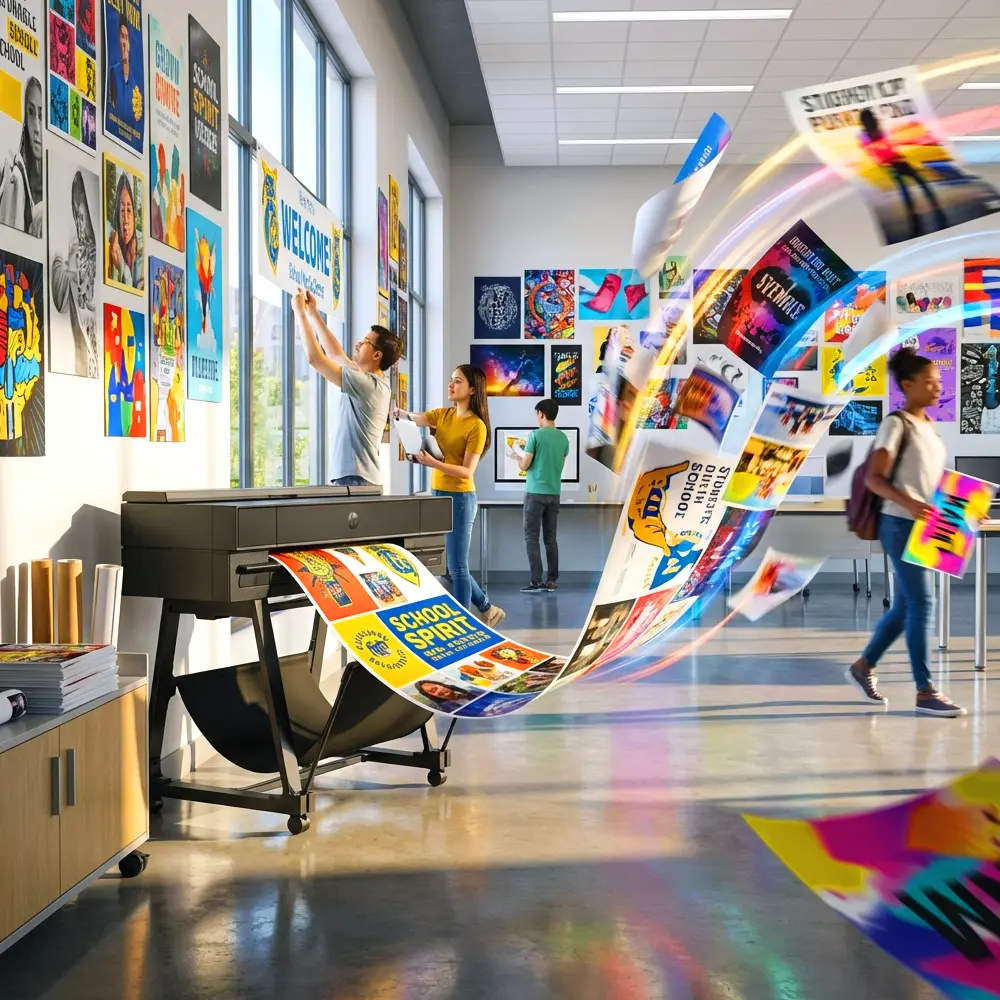
Here’s where it gets exciting! Your school’s banner printing machine isn’t just for hallway displays anymore. With the right workflow, it becomes a yearbook production powerhouse. Let me walk you through Sarah’s system, which now runs like clockwork.
Step 1: Create Design Templates
First, establish consistent templates using your poster design software. Sarah’s team created five base layouts: sports teams, academic clubs, grade levels, special events, and freestyle. Each template maintains school branding while leaving plenty of room for customization. Pro tip: Save these as reusable files that groups can access through a shared drive!
Step 2: Schedule Design Sessions
Instead of bottlenecking through one yearbook committee, Sarah scheduled “Design Days” where different groups could claim 30-minute slots at the poster printer station. Chess club Monday at 3:00, Drama club Tuesday at lunch—you get the idea. This distributed approach meant 40+ groups could create pages in just two weeks!
Try It Tomorrow: Set up a simple Google Calendar for poster printer bookings. Include a 10-minute buffer between slots for paper changes and quick maintenance.
Step 3: Print and Quality Check
Here’s where your poster print machine shines. Unlike traditional yearbook printing that requires massive minimum orders, you can print pages on-demand. Sarah’s team used the Education Studio 36″ Package A+ with its water-resistant inks—perfect for yearbook pages that need to last decades. Each group printed two copies: one for proofing and one final version.
Managing 50+ Design Teams Without Losing Your Mind
Okay, real talk: coordinating this many groups sounds chaotic, right? But Sarah developed some brilliant management strategies that keep everything running smoothly. First, she created a simple submission form requiring: group name, page category, design deadline, and designated designer. This prevented the “too many cooks” syndrome where entire clubs would show up expecting to collaborate on one computer.
Second, she implemented a buddy system. Each design team paired with a yearbook committee member who knew the software inside and out. These buddies didn’t design for the groups—they simply answered questions and kept things moving. Research from Edutopia on peer mentoring shows this approach increases both efficiency and satisfaction by 40%.
Binding Solutions That Actually Work
Now for the million-dollar question: how do you turn all these individual pages into actual yearbooks? Sarah’s school tested three binding methods, and I’ll share what worked (and what definitely didn’t).
The Modular Binder Approach
Their first attempt involved three-ring binders with clear sleeve protectors. While functional, students complained it felt “too much like a school project.” However, this method works great for clubs creating their own memory books throughout the year. The flexibility to add pages anytime is a huge plus!
Professional Spiral Binding
Next, they invested in a heavy-duty spiral binding machine (about $300—totally worth it!). This created a more professional look while maintaining flexibility. Groups could print their pages on the poster machine, trim them to size, and bind them in batches. The lay-flat design made viewing double-page spreads much easier too.
Hybrid Traditional + Custom Inserts
Here’s the genius solution they landed on: create a traditional yearbook for common content (portraits, administration, etc.) but design it with pockets for custom inserts. Each student receives the base yearbook plus insert pages for their specific clubs, teams, and grade. Using their 24lb Coated Paper, the inserts match the yearbook’s paper quality perfectly.
Cost Comparison: Traditional yearbook with personalization: $85/student. Hybrid model with poster-printed inserts: $45/student. That’s a 47% savings! 💰
Software Solutions for Poster Print Machine Yearbook Pages
Let’s talk tech! While you could use any design software, some options work better for collaborative yearbook creation. Sarah’s team started with Canva (free for education!) because of its template sharing features. The lifetime design service from Poster Studio Express also came in clutch when groups needed professional help with tricky layouts.
For schools already using Adobe Creative Cloud, creating yearbook templates in InDesign provides maximum control. However, the learning curve proved too steep for most student groups. That’s why Sarah created a two-tier system: simple templates in Canva for most groups, with the yearbook committee handling complex designs in professional software.
File Management Tips
Organization is everything when you’re juggling 50+ design files. Create a folder structure like this: Yearbook2024 > GradeLevel > Clubs > Sports > Special Events. Within each folder, use consistent naming: ClubName_PageNumber_Version. This prevented the nightmare of printing the wrong version (ask me how I know… 😬).
Troubleshooting Common Challenges
Even the best systems hit snags. Here are the challenges Sarah’s team faced and how they solved them:
Challenge 1: Color Consistency
Different designers creating pages meant color variations. Solution? Create a school color palette file that everyone imports into their design software. The Education Studio 44 with its professional color management helped maintain consistency across prints.
Challenge 2: Deadline Drama
Some groups inevitably procrastinated. Instead of hard deadlines, Sarah implemented rolling deadlines with incentives. Groups submitting early got first pick of binding colors and extra copies for advisors.
Challenge 3: Storage Space
Storing printed pages before binding required planning. They repurposed an old supply closet with vertical filing slots—like a giant mail sorter. Each group had a labeled slot, preventing the mixed-up pages disaster of year one!
Beyond Yearbooks: Expanding Your Print-on-Demand Program
Once Sarah’s school mastered yearbook pages, they discovered other applications for their poster print machine system. Sports teams create season memory books. The drama department prints programs with cast photos. Academic departments compile student work portfolios. The banner printing machine they initially bought for hallway displays became the hub of student publishing!
This expansion actually strengthened their yearbook program. Students gained design experience throughout the year, making yearbook season less stressful. Plus, the constant use justified upgrading to the Education Flex 30 Package B with its cutting capabilities—perfect for creating custom-shaped yearbook elements!
Making It Happen at Your School
Ready to revolutionize your school’s yearbook? Here’s your action plan:
Try It Tomorrow Checklist:
- Survey clubs and grades about yearbook page interest
- Test your poster printer with yearbook-sized pages (typically 8.5″ x 11″)
- Create one sample template and share with yearbook committee
Start small—maybe just senior class pages this year. Once you nail the workflow, expand to more groups. Remember, the goal isn’t perfection; it’s giving every student a chance to see their story in print. Sarah’s principal noted that yearbook sales increased 35% after implementing this system. More importantly? Students actually kept their yearbooks instead of leaving them in lockers!
The beauty of using a poster print machine for yearbook pages lies in its flexibility. Unlike traditional yearbook companies with their rigid deadlines and massive minimums, you control the timeline. Need extra copies for new students? Print them tomorrow. Want to test a crazy design idea? Try it without committing to 500 copies.
Your poster printer is more than equipment—it’s a creativity enabler. By transforming yearbook creation from a exclusive committee project into an inclusive school-wide collaboration, you’re not just making a book. You’re building community, teaching design skills, and ensuring every student’s high school experience gets the recognition it deserves. Now that’s what I call a yearbook upgrade! 📚✨
Got questions about setting up your own poster print machine yearbook system? The team at Poster Studio Express (866-788-7900) loves brainstorming creative uses for their equipment. They’ve helped hundreds of schools think outside the traditional yearbook box!